
Children's camps & education centres
Custom camp management systems for children's camps and education centres
While there are only a few sessions, bookings, payments and medical forms live in spreadsheets, inboxes and an administrator's memory. Once you welcome hundreds and thousands of children, with families arriving from different countries, that stops being enough. IC Studio designs systems in which sessions, families, payments, documents and check-in are parts of one story rather than five separate lists.
Does your season look like this?
Where spreadsheets and off-the-shelf tools usually stop coping
Off-the-shelf SaaS or custom CRM
Not every camp needs a custom CRM — and that's fine
An off-the-shelf SaaS CRM is usually enough if:
- you run one site and a few sessions over the summer;
- booking and payment are standard, without transfers or wallets — for example, when a child misses a day, the visit has to move and the full history of changes has to stay visible;
- there are no special requirements for documents or child handover.
A custom CRM makes sense when:
- sessions, days and extra services combine differently for every family;
- you need years of family history without duplicates;
- documents, questionnaires and consents must be valid on arrival day, not “somewhere in the inbox”;
- finance has to be visible separately for sessions and for extra services;
- you already pay for a camp booking tool and spreadsheets have grown around it.
What the system can include
Modules built around your season
How we work
From your season to a system that grows with it
- 1
We map your season
How a booking arrives, where documents live, what happens on arrival morning and how money is reconciled.
- 2
We decide what to build and what to keep
If you already have a system, we don't start from scratch. Our client came to us with a working ERP, and we continued developing it.
- 3
We help you get ready for the season
Timelines depend on the project. If you are ready to move quickly, we start with whatever will ease the load in the coming season.
- 4
We develop it as the business grows
New sessions, services and rules are added to the same system rather than to a new spreadsheet.
Case study · Aktivists, Latvia
A camp welcoming children from 25+ countries
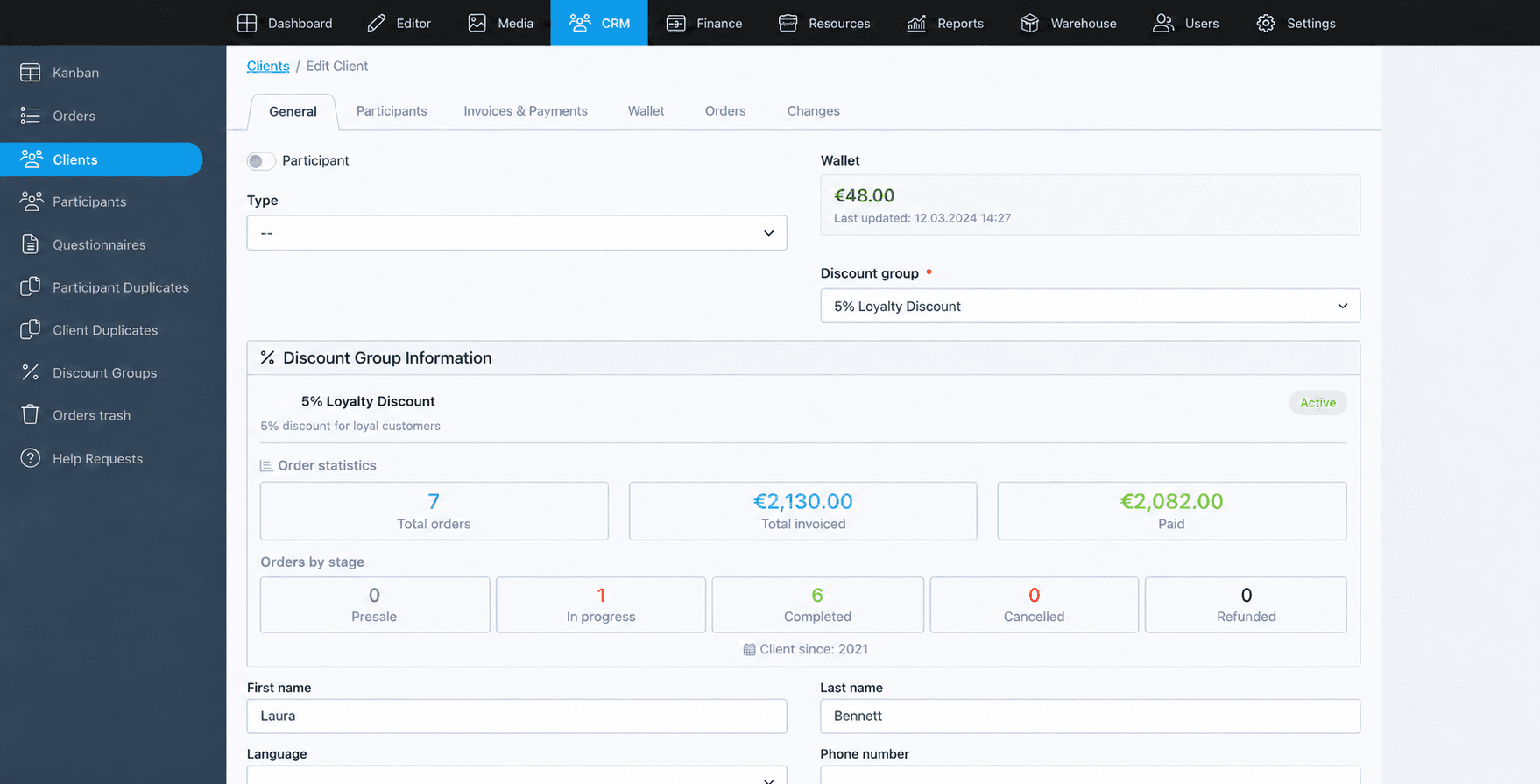
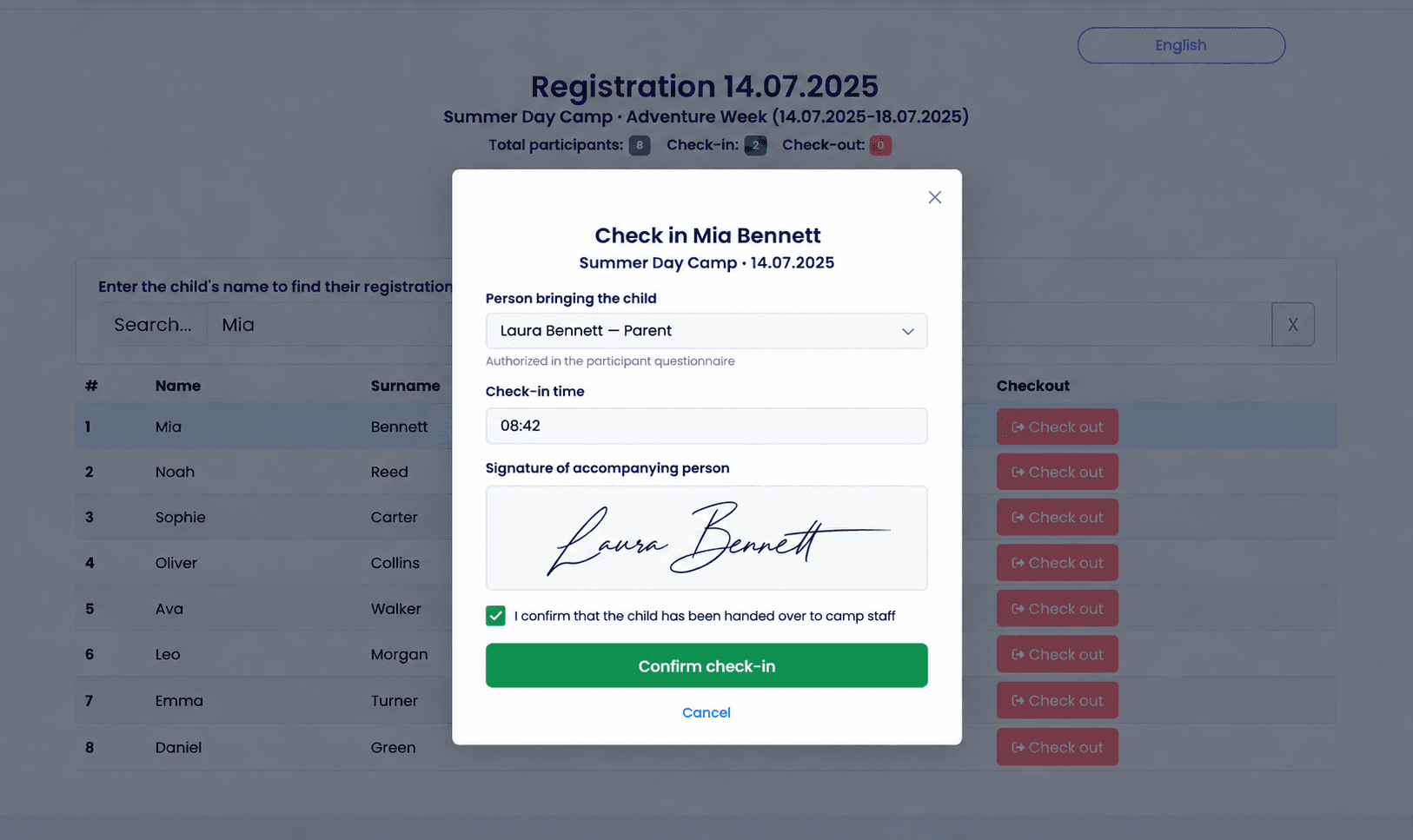
Aktivists came to us with its own ERP already in daily use. Since 2024 we have added digital agreements, a yearly child questionnaire, signed check-in, a family wallet, attendance planning and a finance dashboard, step by step, without breaking what the team already relied on.
- 25+ countries
- where the children come from
- 7 stages
- of system development, 2024–2026
- 5+ checks
- at check-in — in seconds, not minutes
What changes after launch
- The team sees each family in full: children, bookings, payments, documents and visits.
- Arrival morning means checking exceptions, not managing a queue.
- Documents and questionnaires are valid when the child arrives, so nobody collects them again.
- Management sees money by session and service without rebuilding it in Excel.
Questions
What camps usually ask
How much does it cost?
It depends on what exactly needs to change. We start with a free 30–60 minute discovery call: we look at where your business is now and give you a reasoned indication of scope and cost.
We already have a CRM or our own system. Do we have to replace it?
Not necessarily. It is often wiser to develop what already works and connect what is missing. That is exactly what happened with our client: we started from their existing system. Get in touch to discuss your situation and we will tell you which options are realistic.
Is this right for a camp with one or two sessions a summer?
Most likely an off-the-shelf SaaS tool without custom development will be enough, and we will say so honestly on the first call.
Do you have a ready-made camp system we could roll out?
We don't sell an off-the-shelf box: each system is built around one business's processes and remains that business's product. But having built similar systems, we know where it makes sense to start and can suggest the most sensible route to a product shaped around your needs. Let's start with a discovery call: in 30–60 minutes we will look at where your business is now and where it could go next.
Can it connect to payments, accounting and our website?
Yes. The system is designed around the tools you already use. What exactly to connect is agreed during Discovery.
Do you work with education centres and clubs?
Yes. We work with service businesses that have outgrown their processes. The sector changes the details, but the problems of operational growth look much the same everywhere. For education centres that means course and group bookings, memberships, parents, documents and attendance. The beauty of custom development is that almost anything is possible, so what comes first and what can follow is decided by the payback of each specific change.
Tell us how your season works: how many sessions and children, and where bookings, payments and documents live today.
Discuss your situation